

Active learning
A detector that gets better as new images arrive — one flow that picks what to label, checks the data, retrains and keeps the best model.
Every other use case is one step of a bigger loop: images come in, the useful ones get labeled, the data is checked, a model is trained and scored, and the best model ships. Active learning runs that whole loop in one flow and keeps it running. People only label the images that add something new, a live model does part of the drawing, bad labels are kept out of training, and the production model is replaced only when a new one really scores higher.
Use it when you collect images faster than you can label them, and want the model to improve every week without someone rebuilding the pipeline each time.
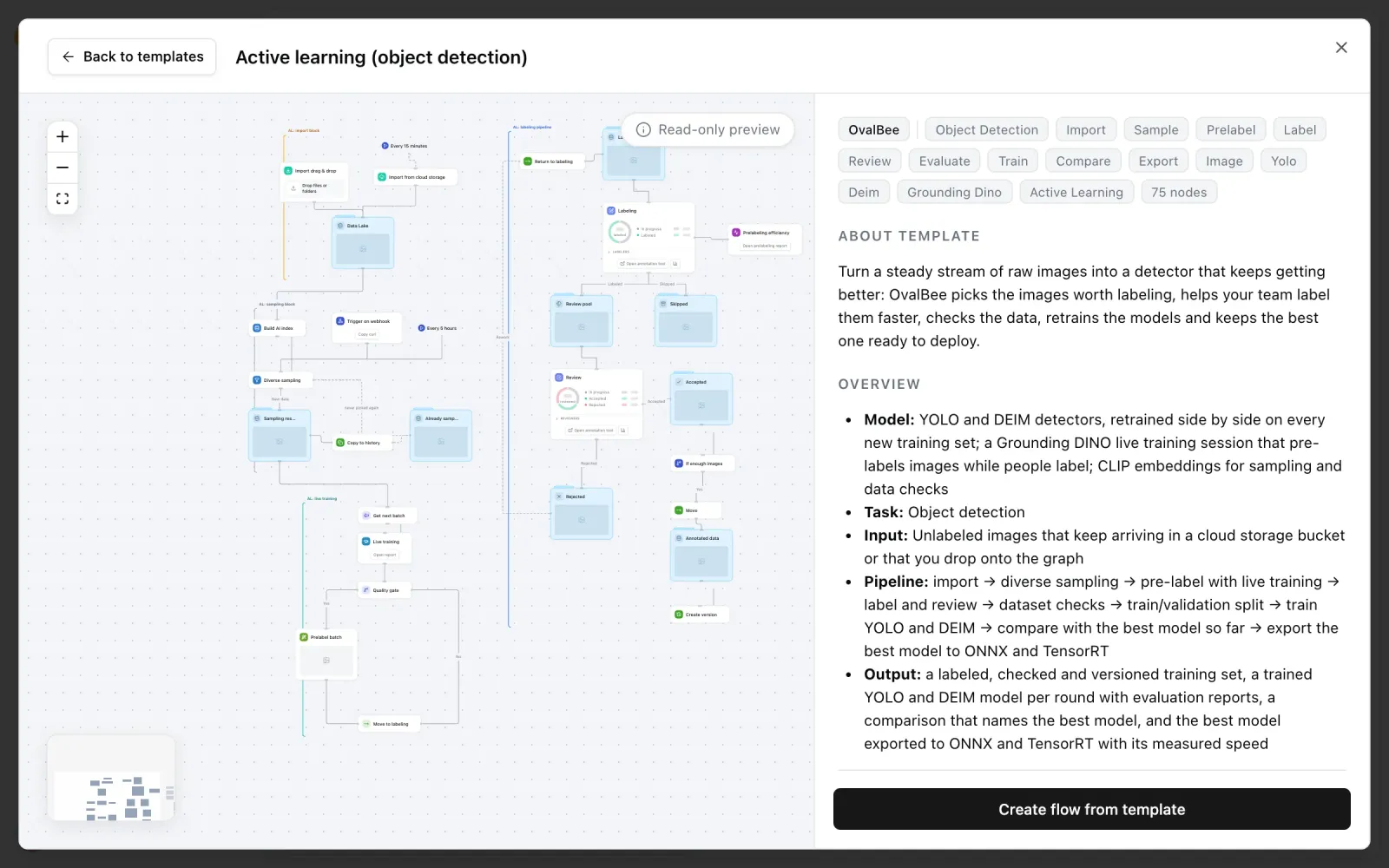
The template and its blocks
The Active learning (object detection) template draws the loop as ten blocks. Each block is also a template of its own, so you can start with the part you need now and drop in the rest later from Templates in the flow toolbar. Dropped next to each other, the blocks offer to connect to what is already in the flow.
The first round has no earlier best model, so the comparison, the learning curve and the export start from the second round.
Setting it up
When you add the template, a short setup asks for four things and creates every dataset the flow needs:
- Classes.
- Labelers and reviewers.
- Models to start from — a Grounding DINO model for live training, and a YOLO and a DEIM checkpoint to fine-tune, copied from the model catalog.
- Images — the dataset new images land in, and optionally a cloud bucket folder the import checks.
Live training, training and export run on a GPU.
The pre-labeling block uses live training, a set of professional nodes that run with the Pro plan on OvalBee Cloud and with the Business plan on your own installation. On a plan without it, delete that block and move the sampled images straight into the labeling pool: people then draw every box themselves, and the rest of the loop works the same.
What you get
Every round leaves a new version of the labeled dataset and of the training and validation sets, so any model traces back to the data it was trained on. Along the way you get:
- a dataset report that says what to fix first,
- evaluation reports for each new YOLO and DEIM model,
- a model registry report that tracks every scored model over time,
- a comparison report that names the winner, and an active learning curve of quality against the number of labeled images,
- a prelabeling efficiency report — how much drawing the live model saved,
- the best model exported to ONNX and TensorRT, with its frames per second.
A smaller loop
Active learning with live training is a compact variant for a fixed set of images you can’t afford to label in full. People label a random first batch and the images the model is scored on. After that the loop runs itself for a set number of rounds: it trains YOLO, finds the validation images the model gets most wrong, picks unlabeled images that look like them, lets the live training session label those, and trains again. A learning curve shows how quality grows with every labeled image, and the last model is scored on a test set. It also needs live training.
Make it yours
- Start small. Begin with the labeling and training blocks, and add sampling, checks and export as the project grows. Every block is a template.
- Change the pace. The schedules — import every 15 minutes, sampling every 5 hours, collect and train once a day at midnight — sit on the nodes that start each block: the Every 15 minutes and Every 5 hours nodes, the If enough images check and the Wait before training. Change them in each node’s automation settings. Pausing the flow stops all of them.
- Change the gate. The quality gate before pre-labeling and the “more than 10 accepted images” check before a new version are Condition nodes with a number you can edit.
- Use other architectures. Swap the YOLO or DEIM training block for any detector in Train a detector.